Available Now on Steam & Japan App Store / Japanese History Deckbuilding Roguelike
Inga Chronicle

Memorize less. Understand more.
The better the historical chain clicks, the stronger your run becomes.

Cards connect through real historical order and causality. When the chain is right, it becomes a powerful combo. Inga Chronicle turns Japanese history into a deckbuilding roguelike where recognizing the flow of events helps you play better.

Deckbuilding Roguelike History Steam iOS / iPadOS

Full editions: Windows (Steam, ¥1,700 JPY) • iPhone / iPad (Japan App Store, ¥980 JPY, English & Japanese included) • Free browser demo for PC.

Editions

Choose your platform

Free Demo (PC)

  • Play in a desktop browser with no download, or via the Steam client’s Download Demo button
  • About 30 minutes per run focusing on core Sengoku combos
  • English and Japanese UI supported

Launch browser demo

Windows Full Edition (Steam)

  • Released July 14, 2026 (¥1,700 JPY)
  • Full historical span from Asuka to Bakumatsu with 200+ cards and 100+ causal combos
  • Windows 10 / 11 64-bit, English and Japanese supported

Buy on Steam

iPhone / iPad Full Edition (Japan App Store)

  • Released November 5, 2026 (¥980 JPY, one-time purchase)
  • Full Asuka-to-Bakumatsu campaign adapted for touch on iOS 15+ and iPadOS 15+
  • Includes English and Japanese language options; currently listed on the Japan App Store (Android not supported)

View on Japan App Store

Demo

Play the demo

PC browser recommended / Around 30 minutes per run

Current public builds: Web v0.2.5 / Windows Demo v0.2.5

Playing from mobile?

The free browser demo is designed for desktop PC browsers. On iPhone and iPad, the full edition is available on the Japan App Store with English and Japanese language support (Android is not supported).

To try the free browser demo on your computer, copy this page URL:

Open dedicated player Beginner guide

If fullscreen does not behave well here, open the dedicated player page instead.

PC browser recommended / Around 30 minutes per run / Audio on

Windows standalone demo options (Steam Demo / Direct ZIP v0.2.5)

For the smoothest desktop setup, use the Download Demo button on the Steam store page.

If you prefer a standalone archive without Steam, the verified Windows ZIP build is below.

File
IngaChronicle_Demo_v0.2.5_win.zip
Size
498,213,772 bytes (about 475 MiB)
Updated
2026-06-15
Supported OS
Windows 10 / 11 64-bit
SHA-256
9B22A175CE4E45731BACAB865D18D970AB13FD079C6811B7ACBE489C063F7D80
Signature
Unsigned standalone binary; Windows SmartScreen may display a prompt on first launch.

Download Windows ZIP (v0.2.5)

Overview

Why this game lands differently

History becomes your combo logic

The order of events matters. When you understand why one event leads to another, your deck starts producing stronger turns.

Understanding becomes your edge

This is not history pasted onto a card game. The historical chain itself is part of the strategy, the reward loop, and the route you build.

Short demo, clear hook

The current demo is built to quickly show the core loop: choose an approach, chain historical causality, and push deeper with better judgment.

Cause-and-effect combos

A sample combo chain

Battle of Okehazama → Battle of Nagashino → Honno-ji Incident

When the flow of history lines up, the chain becomes a strong Sengoku route combo.

A visual showing a Sengoku combo chain from Okehazama to Honno-ji
Sengoku route chain The better the history lines up, the stronger the combo becomes.

Game flow

What a run looks like

1. Choose your hero

Different heroes give you different strengths, card pools, and ways to approach a run.

2. Move through historical routes

Advance through events, pick rewards, and shape a route that can keep paying off later.

3. Trigger linked events

Line up the order correctly and the board state starts rewarding historical logic.

4. Push deeper with better understanding

The more the structure of history makes sense to you, the more strategic options open up on the next turn and the next run.

Trailer

See the flow before you play

A quick look at combat, event pacing, and how historical chains turn into combos.

Screenshots
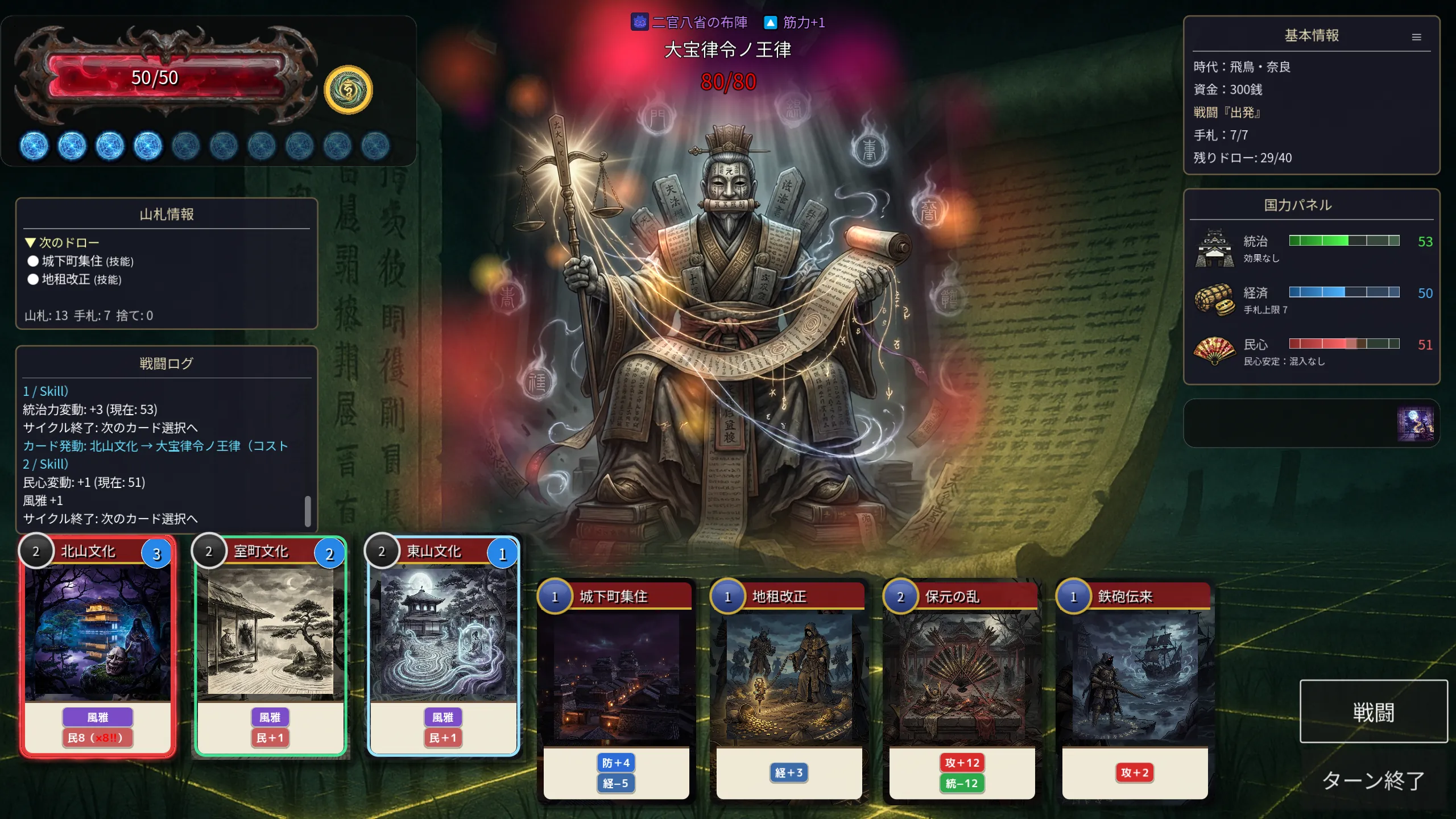
How it looks in play

Battle screen from Inga Chronicle
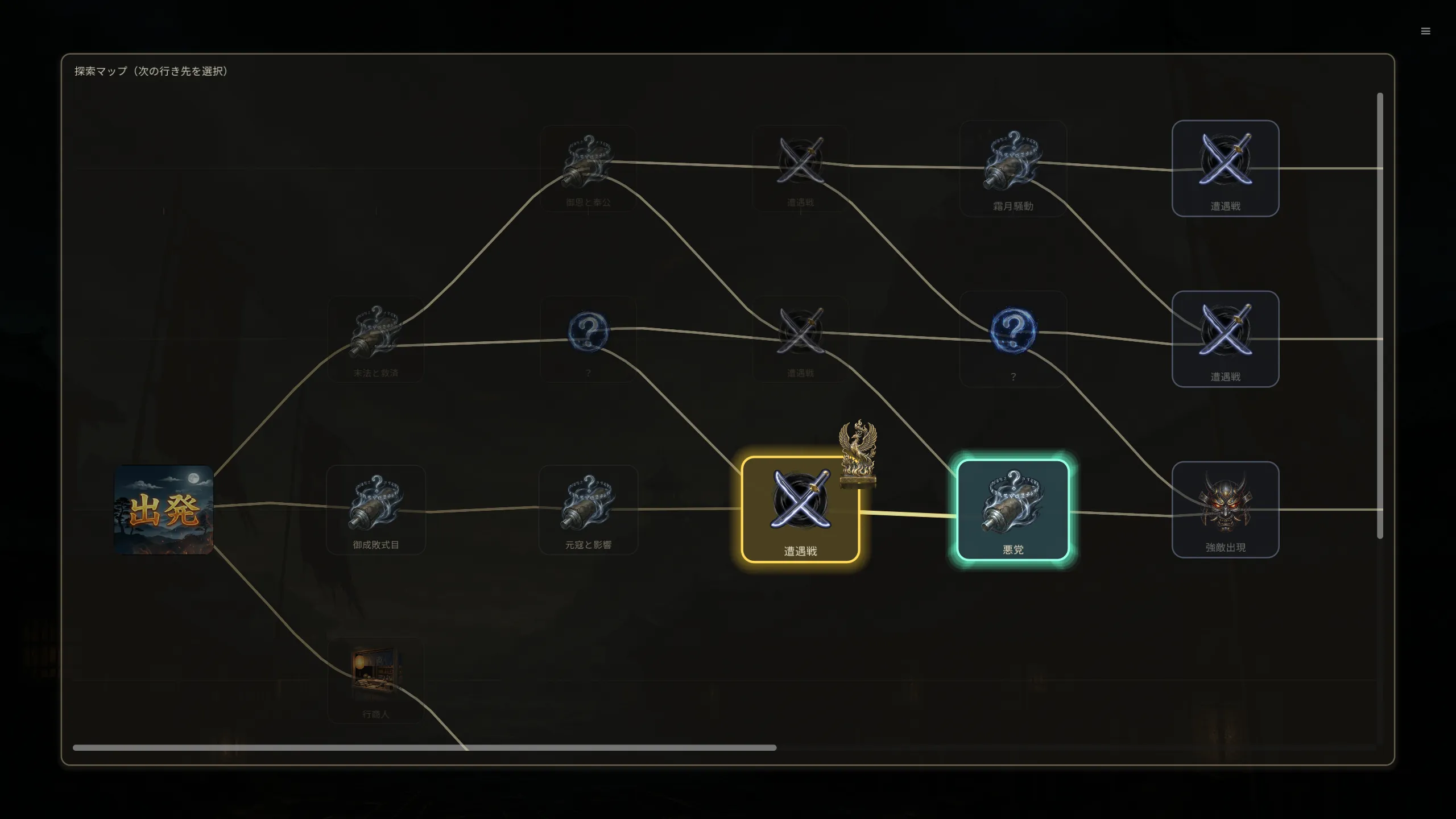
Map and progression screen from Inga Chronicle

FAQ

Questions people usually ask first

  • Q. Do I need strong Japanese history knowledge to enjoy this?
    A. No. You can start by trying connections between cards, and the logic becomes clearer as you play.
  • Q. How long is the demo?
    A. Around 30 minutes.
  • Q. Can I play on a phone or tablet?
    A. Yes, on iPhone and iPad. The full iOS / iPadOS edition launched on the Japan App Store on November 5, 2026, and includes both English and Japanese UI. Android is not supported, and the free browser demo requires a desktop PC browser.
  • Q. When was the full game released?
    A. The Windows edition launched on Steam on July 14, 2026, and the iPhone / iPad edition launched on the Japan App Store on November 5, 2026.

Design notes

Behind the mechanics

Read how historical cause-and-effect drives card design, deck strategy, and routing in Inga Chronicle.

Creators & Streaming

Streaming & video guidelines

Let’s Plays, reviews, and livestreams of both the free demo and full editions are welcome. Please review our creator policy before publishing.

Next step

Play the full game or send feedback

Get the full edition on Steam (Windows) or the Japan App Store (iOS / iPadOS), or send feedback and bug reports if you played the game. Release notes and iOS details are on the support page.